Gold365 Forgot Password Guide: Securely Reset Your Account Access
Introduction
For investors and traders using the Gold365 platform, uninterrupted access to their accounts is essential. However, forgetting a password is a common inconvenience that can cause anxiety, especially when market opportunities arise quickly. This comprehensive guide explains every aspect of the Gold365 “Forgot Password” process, from initiating the reset request to establishing a strong new credential. By following the steps outlined below, users can restore access safely, minimize downtime, and protect their personal data against potential threats.
Understanding the Importance of a Secure Password Reset
A password reset is not merely a convenience feature; it is a critical security control. When a user requests a password change, the system must verify identity, prevent unauthorized access, and ensure that the new password complies with best‑practice standards. Gold365 employs multi‑factor verification, encrypted communications, and time‑limited reset links to guard against phishing attacks and credential stuffing. Understanding these safeguards helps users appreciate the rationale behind each procedural step.
Why a Robust Reset Process Matters
1. Protects financial assets: Unauthorized entry could lead to fraudulent trades or withdrawals.
2. Maintains regulatory compliance: The platform must meet Know‑Your‑Customer (KYC) and Anti‑Money‑Laundering (AML) requirements, which include stringent authentication measures.
3. Preserves user trust: A transparent, efficient reset workflow reinforces confidence in the service.
Preparing to Reset Your Password
Before initiating a reset, verify that you have access to the email address or mobile number linked to your account. Gold365 sends a unique, time‑sensitive link to this contact point. If you have recently updated your contact details, ensure the changes are reflected in the system; otherwise, you may need to contact support for manual verification.
Key Information to Gather
- Your registered email address or mobile phone number.
- Any recent security notifications received from Gold365.
- Answers to optional security questions you may have set up during registration.
Initiating the Forgot Password Workflow
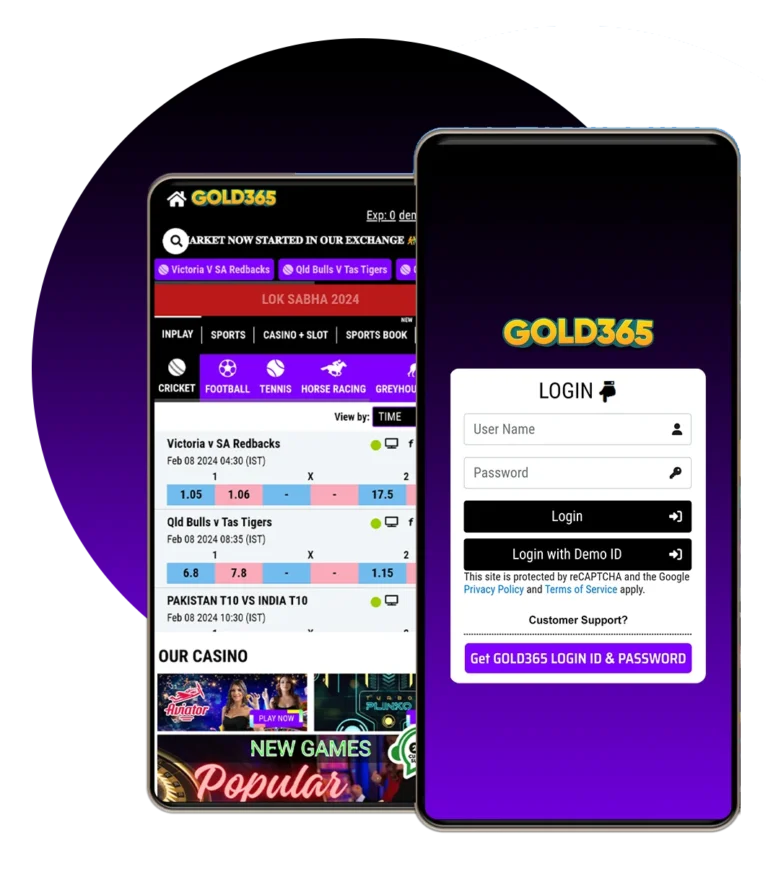
To start the password recovery process, navigate to the Gold365 login page. Locate the “Forgot Password?” link beneath the sign‑in fields, click it, and you will be redirected to a secure reset request form. Enter your registered email or phone number, solve the captcha challenge, and submit the request. Gold365 will then dispatch a reset email or SMS containing a secure hyperlink.
Direct Access to the Platform
If you need to locate the main portal before resetting, you can visit the gold365 id homepage. This page provides quick navigation to login, support, and educational resources.
Verification Methods: Email vs. SMS
Gold365 supports two primary channels for delivering the reset link:
- Email verification: A message from
[email protected]containing a URL that remains valid for 30 minutes. Click the link to proceed. - SMS verification: A text message with a short‑lived code or direct link. The code expires after 15 minutes, after which a new request must be generated.
Choose the method that offers the fastest access based on your current device. It is advisable to use email if you are on a desktop environment, while SMS may be more convenient on mobile.
Accessing the Reset Link
Upon receiving the reset communication, click the provided link. The browser will open a dedicated Gold365 reset page that automatically authenticates the request using a secure token. If the token has expired, the page will display an error and prompt you to request a new link.
Logging In After Reset
After successfully setting a new password, you will be redirected to the gold365 id login screen. Enter your updated credentials to confirm that the reset was successful. If you encounter any errors, double‑check that the new password meets the platform’s complexity requirements.
Choosing a Strong New Password
Gold365 enforces a minimum of eight characters, including at least one uppercase letter, one lowercase letter, one numeral, and one special character (e.g., @, #, $). To create a memorable yet secure password, consider the following techniques:
- Passphrase method: Combine unrelated words with numbers and symbols, such as
River!23&Mountain. - Mnemonic approach: Use the first letters of a sentence you can easily recall, e.g., “My first trade was on 12 March 2022!” becomes
Mftw@12Mar2022!. - Password manager: Store generated passwords in a reputable manager, which can also autofill login forms securely.
Avoid common pitfalls like reusing passwords across multiple services, incorporating personal information (birthdates, names), or using sequential characters (1234, abcd).
Common Issues and Troubleshooting
Even with a straightforward process, users may encounter obstacles. Below are typical scenarios and recommended solutions.
1. No Reset Email Received
Check your spam or junk folder, as automated messages can be filtered. Verify that the email address you entered matches the one on file. If you have a secondary email, ensure it is not the one linked to the account. Should the issue persist, contact Gold365 support with your account details for manual assistance.
2. Reset Link Expired
Reset links are intentionally short‑lived for security. If you miss the window, simply repeat the “Forgot Password” request to obtain a fresh link.
3. Browser Compatibility Problems
Some older browsers may block scripts required for token validation. Use the latest version of Chrome, Firefox, Edge, or Safari. Clearing cache and cookies can also resolve stale session data that interferes with the reset flow.
4. Account Locked After Multiple Attempts
Gold365 temporarily locks accounts after several unsuccessful login or reset attempts to thwart brute‑force attacks. Wait for the lockout period (typically 15 minutes) and then try again, or reach out to support for immediate unlocking.
Enhanced Security Practices After a Reset
Resetting a password offers an opportunity to reinforce overall account security. Consider implementing the following measures:
- Enable two‑factor authentication (2FA): Use an authenticator app or hardware token to add an extra verification layer.
- Review recent activity: After logging in, examine the account’s login history for unfamiliar IP addresses or devices.
- Update recovery information: Ensure your backup email and phone number are current.
- Set up security alerts: Opt into notifications for login attempts, password changes, and withdrawal requests.
Creating a New Gold365 Account (If Needed)
In rare cases where a password reset fails due to compromised credentials, you may decide to create a brand‑new account. The registration process is straightforward: click the “Sign Up” button on the homepage, fill out the required personal and financial information, and verify your identity through KYC documentation. For new users, the dedicated registration page is accessible via the gold365 id register link.
Frequently Asked Questions (FAQ)
Can I reset my password using only my mobile number?
Yes, if your mobile number is registered as a primary contact, Gold365 will send an SMS with a reset code or link.
Is there a limit to how many times I can request a password reset in a day?
To prevent abuse, the system caps requests at three per 24‑hour period. If you exceed this limit, wait until the next day or contact support for assistance.
Will resetting my password affect my open trades?
No. Password changes are independent of your trading positions. All active orders remain intact, but you must log in again with the new credentials to manage them.
Do I need to reinstall the Gold365 mobile app after a password reset?
Not necessarily. The app will prompt you to enter the new password on the next launch. However, clearing the app’s cache can help resolve any residual login issues.
Conclusion
The “Forgot Password” feature on Gold365 is designed to balance ease of use with robust security. By carefully following the outlined steps—verifying your contact information, using the correct reset channel, creating a strong new password, and activating additional safeguards—you can quickly regain access while protecting your investment portfolio. Regularly reviewing security settings, enabling 2FA, and staying vigilant against phishing attempts further strengthens your account’s resilience. Should you encounter any unexpected obstacles, Gold365’s support team remains available to guide you through personalized resolution pathways, ensuring that your trading experience remains uninterrupted and secure.