Expert Tips to Use Gold365 Efficiently – Maximize Your Gold Trading Success
Introduction
Gold trading has evolved into a sophisticated digital experience, and platforms like Gold365 have become essential tools for investors seeking real‑time market access, robust analytics, and secure transaction capabilities. However, simply opening an account does not guarantee success. To truly benefit from this powerful environment, traders must master the platform’s features, adopt disciplined risk‑management practices, and stay informed about market dynamics. This article presents a comprehensive set of expert tips designed to help both newcomers and seasoned professionals use Gold365 efficiently, reduce operational friction, and enhance overall profitability.
Understanding the Gold365 Platform
Overview of Core Functionality
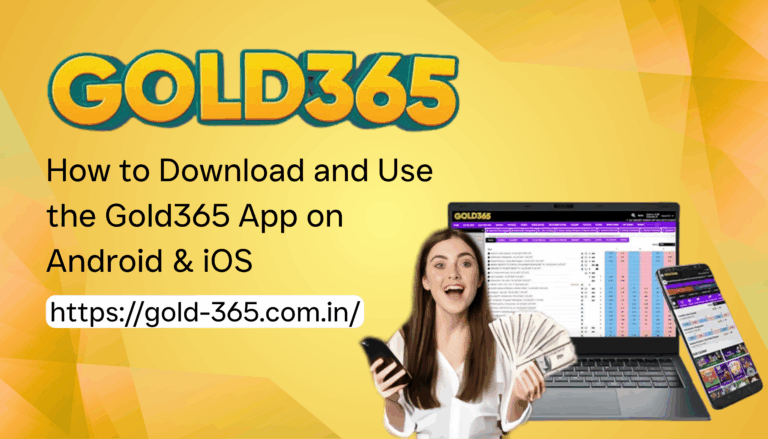
Gold365 offers a web‑based interface that consolidates live price feeds, order execution, portfolio tracking, and analytical tools into a single, responsive dashboard. The platform supports multiple account types, including individual, corporate, and institutional clients, each with configurable permission levels. Familiarity with the layout—menu bar, quick‑trade widget, and report section—lays the groundwork for fast navigation and decisive action during volatile market conditions.
Registration and Account Setup
Effective use begins with a clean, well‑structured account profile. During registration, provide accurate personal and financial information, as this influences KYC verification and trading limits. After approval, allocate a unique account identifier and set up a strong password. It is advisable to store recovery phrases offline and to enable optional security questions. A thoughtfully organized account reduces the need for later modifications and helps maintain a clear audit trail.
Navigating the Dashboard
Key Features at a Glance
The main dashboard presents live bid‑ask spreads, volume histograms, and a customizable charting widget. Use the toggle buttons to switch between spot, futures, and options views. The “Watchlist” feature allows you to monitor specific gold contracts, while the “Market Depth” panel reveals order‑book imbalances that can signal short‑term price pressure. Knowing which panels to prioritize saves valuable seconds during rapid market shifts.
Customizing Views for Personal Workflow
Every trader has a unique workflow. Gold365 permits you to rearrange widgets via drag‑and‑drop, hide unused sections, and choose between light or dark themes for visual comfort. Save multiple layout profiles—one for analysis, another for execution—so you can instantly switch contexts without reconfiguring settings. Consistency in visual layout improves concentration and reduces the likelihood of accidental order entry.
Effective Trade Execution
Analyzing Market Data Before Placing Orders
Before committing capital, scrutinize the combination of technical and fundamental inputs. Use the integrated candlestick chart to identify patterns such as bullish engulfing or descending triangles. Overlay moving averages (e.g., 20‑period EMA) to gauge short‑term momentum. Complement technical cues with macroeconomic indicators, such as US Federal Reserve announcements or geopolitical events that historically influence gold prices. A disciplined pre‑trade analysis framework curtails impulsive decisions.
Setting Alerts and Order Types
Gold365 enables price alerts, volume spikes, and news triggers. Configure alerts for specific price thresholds so you receive real‑time notifications via email or SMS. Choose appropriate order types: market orders for immediate execution, limit orders to secure a desired entry price, and stop‑limit orders to protect against adverse moves. Employ “Trailing Stop” orders to lock in profits while allowing the trade to run as long as the market moves favorably.
Risk Management Strategies
Position Sizing Based on Portfolio Allocation
Never risk more than a predetermined percentage of your total capital on a single trade. A common rule is the 2 % risk rule—if you have $100,000 in equity, limit exposure to $2,000 per position. Calculate the number of contracts based on the stop‑loss distance and the dollar value per pip. Consistent position sizing protects your account from large drawdowns and preserves capital for subsequent opportunities.
Implementing Stop‑Loss and Take‑Profit Levels
Every trade should have a clear exit plan. Place stop‑loss orders just beyond key support or resistance zones, accounting for typical market volatility to avoid premature exits. Set take‑profit targets using risk‑reward ratios of at least 1:2, ensuring that potential gains outweigh possible losses. Regularly review and adjust these levels as market conditions evolve, but avoid moving stops further into loss.
Leveraging Analytical Tools
Technical Indicators and Their Optimal Use
Gold365 provides a suite of built‑in indicators, including Relative Strength Index (RSI), Bollinger Bands, and MACD. Use RSI to identify overbought (above 70) or oversold (below 30) conditions, but confirm with price action to reduce false signals. Bollinger Bands help visualize volatility; price touching the upper band may indicate exhaustion, while a bounce off the lower band may suggest a reversal. MACD crossovers can confirm trend direction when aligned with higher‑timeframe analysis.
Fundamental Insights Integrated Within the Platform
In addition to technical tools, Gold365 offers a news feed covering central bank policy, inflation data, and geopolitical developments. Use the “Economic Calendar” to anticipate high‑impact releases that can cause price spikes. Correlate these events with historical price reactions to develop a probabilistic expectations model. By integrating fundamental data directly into your trading routine, you gain a holistic perspective that pure chart analysis cannot provide.
Optimizing Performance Through Automation
Utilizing APIs and Trading Bots
For traders comfortable with programming, Gold365’s API grants access to market data, order execution, and account information. Develop custom algorithms that enforce discipline—such as automatic position scaling or real‑time risk checks—and deploy them on secure servers. Ensure thorough back‑testing against historical data, and start with modest trade sizes to validate performance under live market conditions.
Scheduling Automated Reports and Performance Reviews
The platform’s reporting engine can generate daily, weekly, or monthly summaries of trade activity, profit‑and‑loss statements, and risk metrics. Schedule these reports to be emailed directly to your inbox, enabling regular performance reviews without manual data extraction. Analyze metrics like average win rate, maximum drawdown, and Sharpe ratio to identify strengths and areas for improvement.
Security Best Practices
Two‑Factor Authentication and Secure Access
Protecting your trading account is paramount. Enable two‑factor authentication (2FA) through a reputable authenticator app. This adds a dynamic code requirement beyond your password, significantly reducing the risk of unauthorized access. When logging in from new devices, verify the device fingerprint and consider using a dedicated, encrypted browser profile.
Secure Connectivity and Session Management
Always access Gold365 over a trusted network. Avoid public Wi‑Fi unless you use a reputable Virtual Private Network (VPN) that encrypts traffic end‑to‑end. Log out after each session, and regularly review active sessions in the “Security” tab. If you notice unfamiliar IP addresses, terminate those sessions immediately and change your password. For those managing multiple accounts, the Gold365 Login portal provides a centralized gateway where you can monitor and control simultaneous logins.
Continuous Learning and Community Support
Financial markets are dynamic; staying ahead requires continual education. Gold365 offers webinars, tutorial videos, and a knowledge base that cover platform updates, trading strategies, and regulatory changes. Participate in community forums to exchange ideas, discuss recent price action, and receive feedback on trade ideas. While peer insights can be valuable, always perform independent due diligence before acting on external advice.
Conclusion
Using Gold365 efficiently hinges on a blend of technical mastery, disciplined risk management, and vigilant security practices. By systematically configuring your dashboard, employing rigorous pre‑trade analysis, leveraging both analytical tools and automation, and protecting your account with strong authentication, you set a solid foundation for consistent performance. Remember that continuous learning and periodic self‑assessment are equally essential; markets evolve, and so should your approach. Implement the expert tips outlined in this guide, and you will be well‑positioned to navigate gold markets with confidence, precision, and resilience.