Common Gold365 Problems and Their Solutions – Comprehensive Guide for Users
Gold trading platforms have become essential tools for investors seeking convenience and real‑time market access. Among these platforms, Gold365 stands out for its user‑friendly interface and extensive product range. However, as with any digital service, users may encounter technical hiccups or operational challenges that disrupt their trading experience. This article systematically examines the most common problems reported by Gold365 users and provides practical, step‑by‑step solutions to help you resolve them quickly and continue managing your portfolio with confidence.
Common Issues with Gold365
Before diving into specific troubleshooting methods, it is helpful to understand the categories of problems that typically arise on the platform. Broadly, these can be grouped into four areas: account access, transaction processing, data display, and security alerts. Recognizing the nature of the issue you are facing will streamline the diagnostic process and reduce downtime.
1. Account Access Challenges
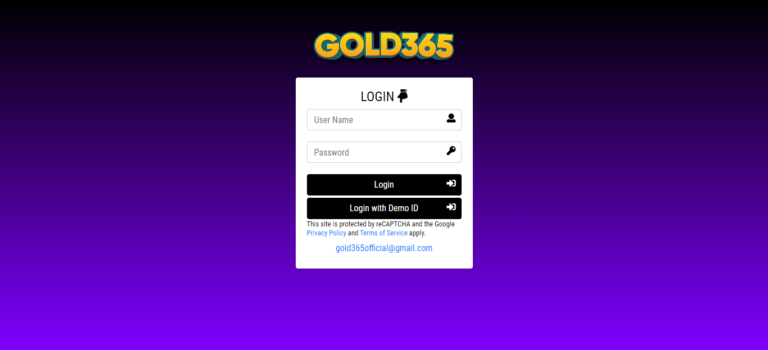
Many users’ first point of frustration is the inability to log into their accounts. Whether you receive an “invalid credentials” message, encounter a timeout, or face a frozen login page, the underlying causes can vary. Common triggers include forgotten passwords, browser cache conflicts, two‑factor authentication (2FA) misconfigurations, and server maintenance periods.
For those facing persistent login barriers, start by clearing your browser’s cache and cookies, then attempt to access the Gold365 Login page using an incognito or private browsing window. If the problem persists, use the “Forgot Password” feature to reset your credentials. Ensure that any 2FA device (such as a mobile authenticator app) is synchronized with the server time; a mismatch of just a few minutes can invalidate the generated code.
2. Transaction Delays and Failures
Gold365 prides itself on real‑time order execution, yet users occasionally experience delayed confirmations or outright transaction failures. These incidents often stem from network latency, insufficient account balance, or temporary mismatches between the platform’s order book and the underlying exchange.
- Network latency: Verify your internet connection stability. Switching to a wired Ethernet connection or a different Wi‑Fi network can reduce packet loss.
- Insufficient balance: Double‑check that your account has enough funds, including any applicable margin requirements.
- Exchange mismatch: During high‑volume trading periods, the platform may momentarily lag behind the exchange’s price feed. In such cases, waiting a few seconds before resubmitting the order often resolves the issue.
3. Data Display Inaccuracies
Accurate market data is the lifeblood of any trading decision. Some users report discrepancies between the price charts on Gold365 and those displayed on other financial news sites. These differences can arise from:
- Delayed data refresh cycles (typically 1–2 seconds).
- Incorrect time‑zone settings in the user profile.
- Browser extensions interfering with real‑time WebSocket connections.
To address data display concerns, first ensure that your account’s time‑zone preference matches your local time. Then, disable any ad‑blocking or script‑blocking extensions, or add the platform to the whitelist. Finally, refresh the page after clearing the cache; the chart should then reflect the latest market data.
4. Security Alerts and Account Lockouts
Security is a top priority for both the platform and its users. Gold365 employs automated monitoring to detect suspicious activity, such as multiple failed login attempts or logins from unfamiliar locations. When such activity is flagged, the system may temporarily lock the account or request additional verification.
If you receive a security alert, follow these steps:
- Check your email for a verification link or code sent by the platform.
- Confirm that the login attempt was yours; if not, immediately initiate a password reset.
- Enable or update two‑factor authentication to add an extra layer of protection.
Maintaining up‑to‑date contact information (email and phone number) ensures you receive these alerts promptly and can act without delay.
Step‑by‑Step Solutions for Specific Problems
Login Page Not Loading
If the Gold365 Login page fails to load, first test the URL on a different device or network to rule out local connectivity issues. If the page loads elsewhere, clear the DNS cache on your primary device (e.g., ipconfig /flushdns on Windows) and restart the router. Persistent problems may indicate temporary server maintenance; checking the platform’s status page or official social channels can confirm this.
Order Execution Errors (“Insufficient Margin”)
When the platform returns an “Insufficient Margin” error despite apparent availability of funds, verify the following:
- All open positions are accounted for; margin requirements are cumulative.
- There are no pending withdrawal requests that reduce available balance.
- The selected contract size matches your intended exposure.
Adjusting the order size or closing existing positions can free up the required margin. If the error remains unexplained, contact customer support with a screenshot of the balance overview for further investigation.
Unexpected Logout During Trading Session
Sudden logout events can disrupt active trading. Common causes include session timeout settings, conflicting simultaneous logins, or browser memory overload. To mitigate:
- Navigate to the account settings and extend the session timeout duration, if the platform allows customization.
- Avoid logging in from multiple devices at the same time; if you must, ensure each session is closed properly before opening a new one.
- Close unnecessary browser tabs and extensions to free up memory resources.
Discrepancy in Settlement Amounts
At the end of a trade, some users notice a slight variance between the expected settlement amount and the credited figure. This can result from transaction fees, rounding conventions, or overnight financing charges. Review the fee schedule provided in the platform’s documentation, and compare the breakdown shown in your transaction history. If the discrepancy exceeds the listed fees, raise a ticket with the support team, attaching the trade confirmation and settlement receipt.
Best Practices to Prevent Future Issues
While troubleshooting is essential, proactive measures can significantly reduce the likelihood of encountering problems. Below are recommended best practices for Gold365 users:
- Regularly Update Software: Keep your operating system, browser, and any trading plugins current to benefit from security patches and performance improvements.
- Enable Two‑Factor Authentication: This simple step adds a robust barrier against unauthorized access.
- Maintain Accurate Contact Details: Ensure your email address and phone number are current so you receive crucial security notifications.
- Monitor Account Activity: Review login history and transaction logs weekly to spot any irregularities early.
- Use Official Resources: Access the platform only through the official website and avoid third‑party applications that claim to offer “faster” trading.
When to Seek Professional Assistance
Most issues can be resolved with the guidance provided above, but certain scenarios warrant direct intervention from Gold365’s support team or a financial professional:
- Repeated login failures despite correct credentials and 2FA verification.
- Unexplained large discrepancies in account balances after multiple trades.
- Potential security breaches, such as unknown devices appearing in login history.
- Regulatory or tax‑related inquiries that require official account statements.
In these cases, gather all relevant documentation—screenshots, timestamps, and error messages—before contacting support. Clear and concise communication accelerates resolution and helps maintain a reliable trading environment.
Conclusion
Gold365 delivers a powerful platform for individuals and institutions seeking to trade precious metals efficiently. Nevertheless, technical glitches, account access challenges, and transaction anomalies can occasionally interrupt smooth operations. By recognizing common problem categories, applying the targeted solutions outlined in this guide, and adhering to best practices, users can minimize downtime and safeguard their investments. Should issues persist beyond self‑troubleshooting, leveraging the platform’s dedicated support channels ensures that expert assistance is readily available, keeping your gold trading experience both secure and productive.